-
Applications and components
- Developer guide
- IDE support
- Deployment
- .vespaignore files
- Containers
- Components
- Searchers
- Document processors
- Request handlers
- Result renderers
- Dependency injection
- Configuring components
- Chaining
- Inspecting structured data in a Searcher
- Developing web services
- Unit testing
- System testing
- The config system
- Request-response processing
- Bundles
- Using ZooKeeper
- Http servers and filters
- Using pluggable frameworks
- Java config API
-
Querying
- The query api
- The YQL query language
- Grouping and aggregation
- Query profiles
- An intro to vector search
- Nearest neighbor search
- Approximate nearest neighbor search
- Nearest neighbor search guide
- Text matching
- Searching multivalue fields
- Geo search
- Document summaries
- Result diversity
- Federation
- Page templates
- Filter intersections
-
Ranking and inference
- Ranking introduction
- Ranking expressions and features
- Multivalue query operators
- Tensor user guide
- Tensor examples
- Phased ranking
- Using TensorFlow models
- Using ONNX models
- Using XGBoost models
- Using LightGBM models
- Wand: Accelerated OR search
- The BM25 rank feature
- The nativeRank rank feature
- Cross-encoder transformer ranking
- Searcher re-ranking
- Significance model
- Stateless model evaluation
-
Linguistics and text processing
-
Content and elasticity
-
Performance
- Performance overview
- Practical performance guide
- Serving sizing guide
- Feed sizing guide
- Node resources
-
Instance types
- Topology and resizing
- Streaming search
- Benchmarking
- Benchmarking using Vespa Cloud
- Memory visualizer
- Profiling
- Container tuning
- Rate-limiting queries
- Graceful degradation
- Caches
- HTTP performance testing
- HTTP/2
- Feature tuning
- Valgrind
-
Operations
- Quota
- Environments
- Zones
- Availability Zones
- Production deployment
- Deployment variants
- Automated deployments
- Autoscaling
-
Enclave: Bring your own cloud
- Reindexing
- Reindexing on Vespa Cloud
- Data management and backup
- Cloning applications and data
- Monitoring
- Metrics
- Telemetry export
- Notifications
- Support
- Login Help
- Single Sign-On (SSO) Setup
- Deployment patterns
- Private endpoints
- Endpoint routing
- Access logging
-
Artifact archive
- Deleting applications
-
Self-managed
- Admin procedures
- Multinode Systems
- Files, Processes, Ports, Environment
- Node Setup
- Build and install
- Monitoring
- Content node recovery
- Configuration Servers
- Live Vespa upgrade procedure
- Config Sentinel
- Config Proxy
- Docker Containers
- Docker Containers GPU setup
- CPU Support
- Service Location Broker
- Change from attribute to index procedure
- Container
- Sizing examples
- Vespa Support CLI
-
Kubernetes
- Introduction
-
Reference
-
Modules
-
Reference
-
Applications and components
-
Schemas and documents
-
Reading and writing
-
Operations
- Health checks
- Log files
- Tools
-
Self-managed
-
Security
-
Release notes
Vespa Cloud exports log data, heap dumps, and Java Flight Recorder sessions to Azure Blob Storage containers. This guide explains how to access this data. Access to the data is through an Azure principal controlled by the tenant.
These resources are needed to get started:
- An Azure account
- An email address or principal with access to that account
- AzCopy
Access is configured through the Vespa Cloud Console in the tenant account screen. Choose the "archive" tab, then expand the Azure section.
Register Azure principal
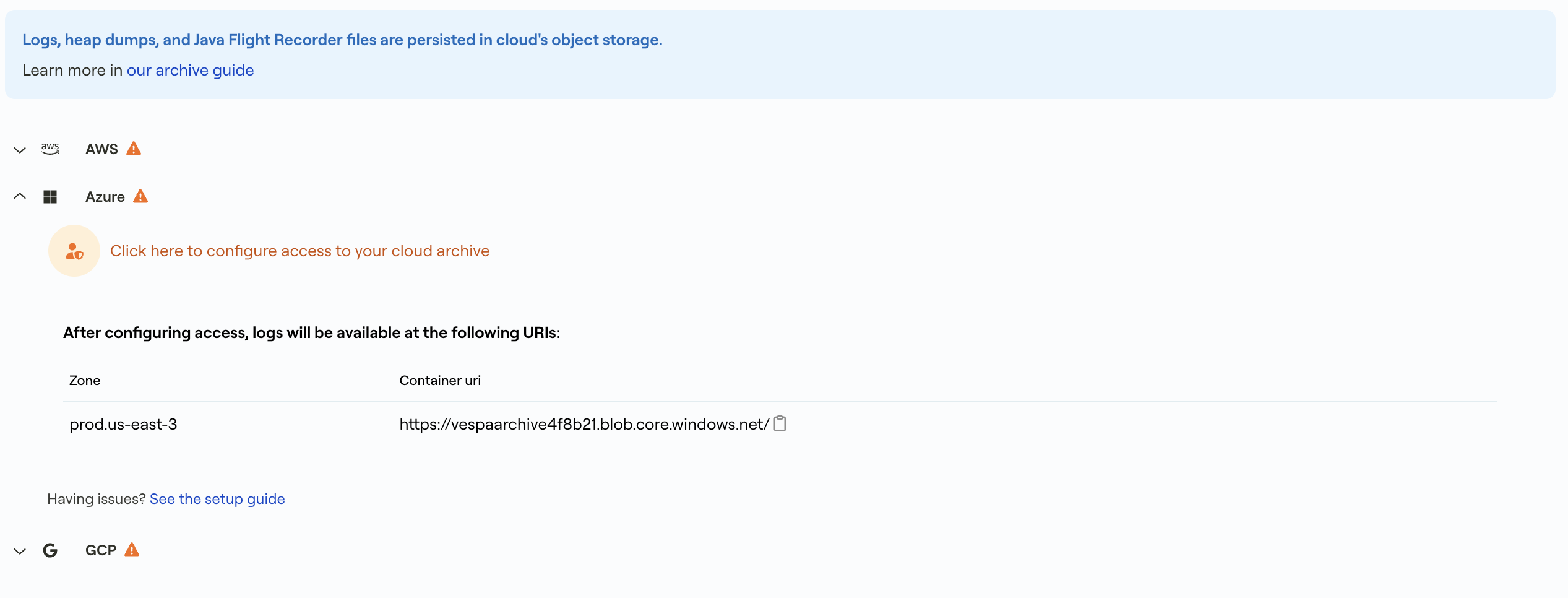
Click Configure access to your cloud archive to open the configuration dialog.
Configure access
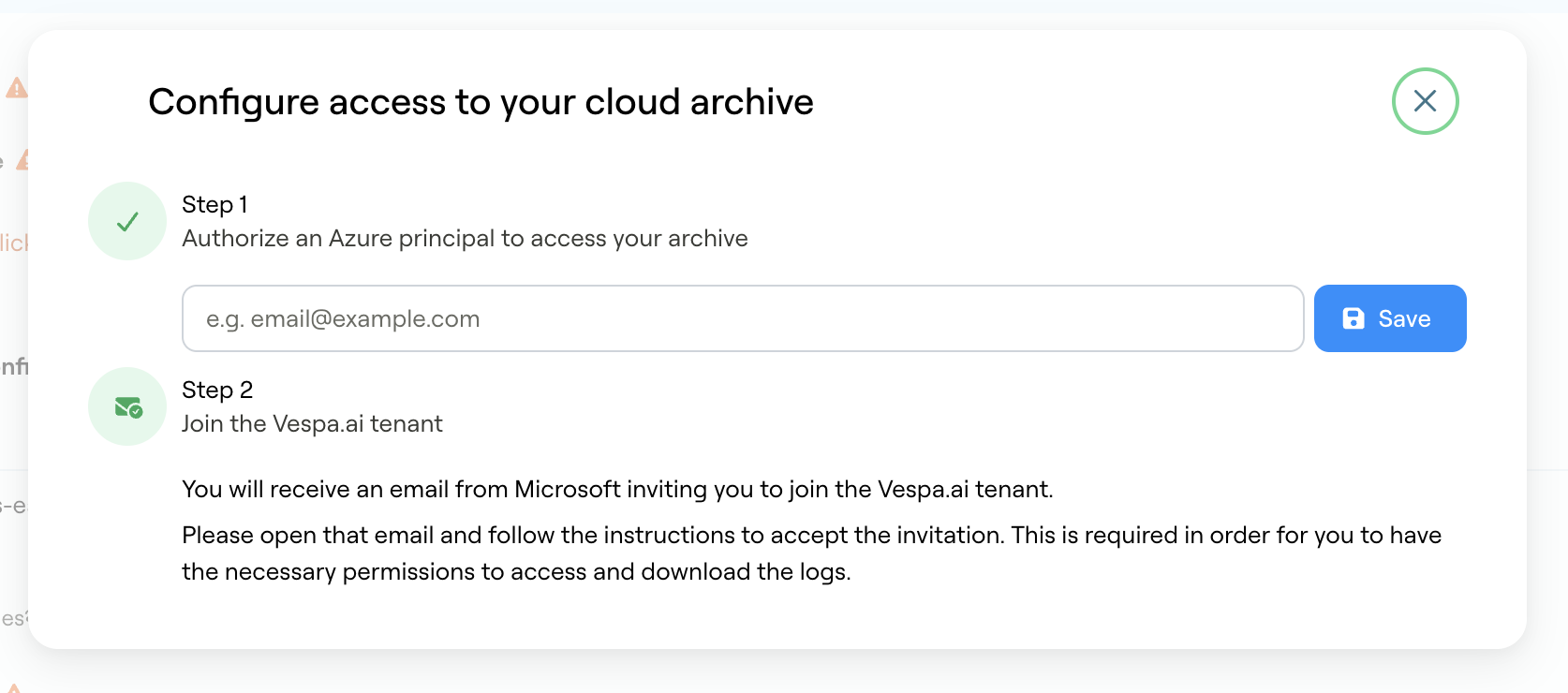
In Step 1, enter the email address or principal that should have access to the
blob storage containers (e.g. email@example.com) and click Save.
Vespa Cloud will then grant access to that principal on the storage containers.
In Step 2, you will receive an email from Microsoft inviting you to join the Vespa.ai tenant. Open that email and follow the instructions to accept the invitation. This is required in order to have the necessary permissions to access and download the logs.
Access files using AzCopy
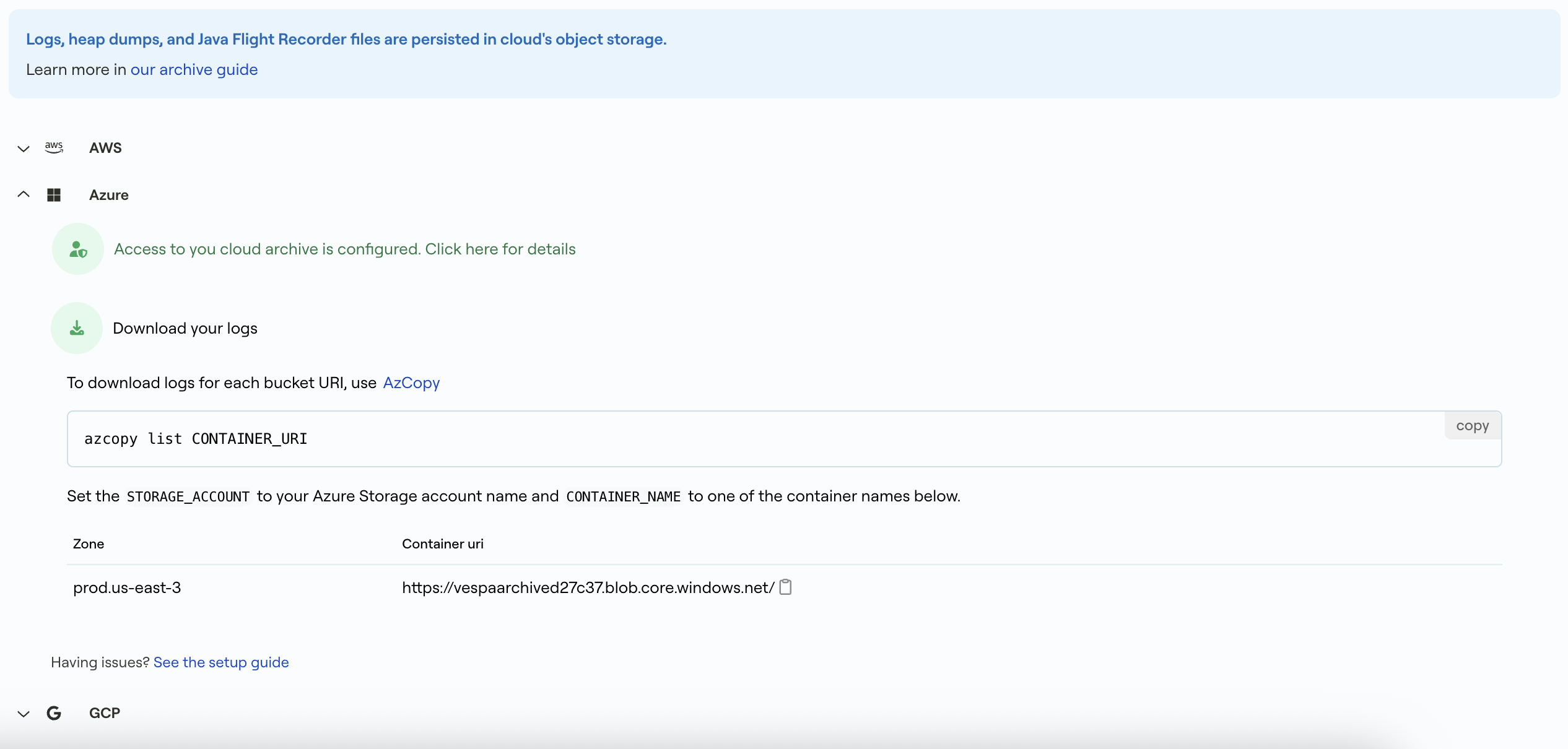
Once permissions have been granted, the Azure principal can access the contents of the archive containers. Any Azure Blob Storage client will work, but AzCopy is an easy tool to use. The archive page will list all containers where data is stored, typically one container per zone the tenant has applications.
$ azcopy list CONTAINER_URI
Archiving is per tenant, and a log file is normally stored with a key like:
mytenant/myapp/default/h2946a/logs/access/JsonAccessLog.default.20210629100001.zst
Objects are exported once generated - access log files are compressed and exported at least once per hour.